

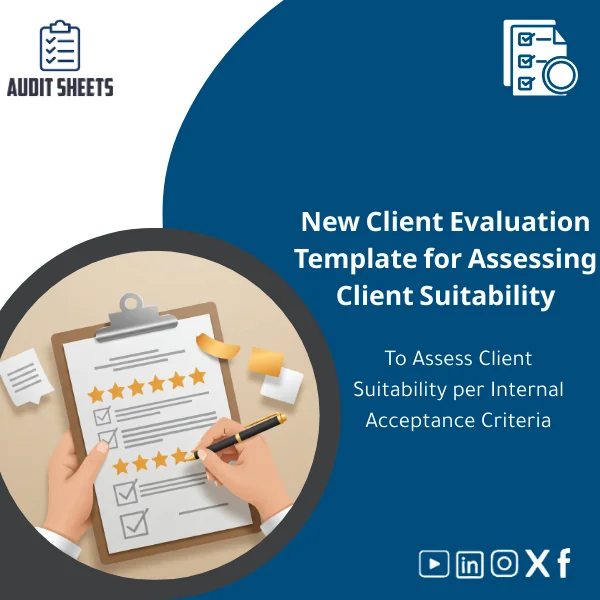
New Client Evaluation Template for Assessing Client Suitability
Original price was: 299.00 $.249.00 $Current price is: 249.00 $.
A ready-to-use, ISA & SOCPA-aligned New Client Evaluation Template that helps audit teams and accounting firms assess prospective client suitability quickly, document acceptance decisions consistently, and reduce engagement risk before signing an engagement letter.
Key benefits & value for audit teams
Translating checklists into risk-aware decisions is the core value of this New Client Evaluation Template. It converts ISA & SOCPA principles into practical steps so your team can:
- Reduce pre-engagement risk: Standard criteria and scoring reveal high-risk indicators (legal, regulatory, related parties, previous audit issues) before you accept the engagement.
- Save time: Pre-written questions, scoring logic and approval workflows cut assessment time by up to 60% compared with building forms from scratch.
- Improve documentation quality: Outputs are formatted for direct inclusion in the audit file — clear rationale, supporting evidence checklist, and sign-off lines for partner review.
- Support firm policies: Use the template to enforce internal acceptance criteria consistently across partners and locations.
This is not a generic form — it’s designed with auditability and defensibility in mind so decisions made during client acceptance stand up to internal and external reviews.
Use cases & real-life scenarios
Scenario 1 — Fast onboarding for small engagements
A mid-sized firm needs to onboard a small manufacturing client. Using the template, the engagement manager completes the new client acceptance form, runs the built-in client risk assessment template, and flags low-level issues for monitoring rather than rejection — saving time and documenting a justified rationale.
Scenario 2 — Complex, higher-risk prospective client evaluation
For a prospective client with cross-border operations, the template prompts checks on jurisdictional risks, related-party transactions and AML/KYC evidence. Scores exceed the firm’s threshold and the partner requests enhanced due diligence; the rejected acceptance is fully documented for compliance purposes.
Scenario 3 — Quality review and external inspection readiness
During a quality review, the firm retrieves completed templates from prior engagements to demonstrate consistent application of acceptance criteria and documented partner approvals — simplifying inspections and reducing follow-up queries.
Who is this product for?
Tailored to professionals who must apply international auditing standards and manage comprehensive audit files:
- Audit and accounting firms (small to large)
- Licensed legal auditors and statutory auditors
- Senior accountants and engagement partners responsible for client acceptance
- Compliance and risk teams implementing firm-wide acceptance policies
If your team prepares working papers to ISA & SOCPA, this template aligns directly with those workflows.
How to choose the right edition
The template is offered in three practical editions to match firm needs:
- Basic (single-user): Word + PDF — quick checklist and decision log for sole practitioners and small offices.
- Standard (multi-user): Editable Word & Excel with scoring and combined summary sheet for teams.
- Comprehensive (enterprise): Excel + Word + guidance notes, approval workflow templates and industry addenda (manufacturing, financial services, non-profits).
Choose based on team size, integration needs and whether you require industry-specific risk prompts. All editions are fully editable so you can align with firm policy thresholds.
Quick comparison with typical alternatives
Common options firms consider:
- Build-your-own forms — Flexible but time-consuming and often lacks auditability; higher long-term maintenance cost.
- Generic online checklists — Quick but rarely synchronised with ISA/SOCPA and lacking working paper formatting.
- Commercial compliance software — Powerful but expensive and requires onboarding; may be overkill for firms that need immediate, low-cost templates.
The New Client Evaluation Template sits between these: professional, compliant, and immediately usable with minimal setup and a price point suitable for firms prioritising efficiency and documentation quality.
Best practices & tips to get maximum value
- Integrate the template into your pre-engagement checklist and require a completed form before issuing engagement letters.
- Set firm thresholds for automatic escalation — e.g., any score above X requires partner sign-off.
- Attach supporting evidence (KYC, board minutes, financial snapshots) directly to the working paper file alongside the completed template.
- Review and update the template annually to reflect changes in ISA guidance or SOCPA interpretations.
Common mistakes when using new client acceptance tools — and how to avoid them
- Mistake: Treating the form as a tick-box exercise. Fix: Require narrative justification for non-standard answers.
- Mistake: Not documenting supporting evidence. Fix: Use the evidence checklist included in the template and link files in the audit folder.
- Mistake: Ignoring escalation rules. Fix: Embed clear thresholds and make partner approval mandatory when triggered.
Product specifications
- Formats: Editable Word (.docx), Excel (.xlsx), PDF export
- Languages: English (default). Editable to translate locally.
- Pages/Tabs: Word template (4 pages guidance + form), Excel (risk scoring + summary tab)
- Compatibility: Microsoft Office 2016+ / Office 365; printable
- Alignment: Drafted around ISA requirements and SOCPA considerations for pre-engagement procedures
- Delivery: Instant digital download after purchase
- License: Per-office or enterprise licensing options available (see terms)
- Customisation: Editable fields; optional professional customisation service available on request
Frequently asked questions
Is the template compliant with ISA and SOCPA?
Yes. The questions, required evidence and decision logic are organised to reflect ISA pre‑engagement principles and common SOCPA expectations. It is supplied as a practitioner tool — firms should adopt internal thresholds and apply professional judgement.
Can I customise the template to match our firm’s policies?
Absolutely. All fields are editable. The Standard and Comprehensive editions include guidance notes to help adapt scoring and escalation rules to your internal acceptance criteria.
How is the template delivered and how quickly can we start using it?
Delivery is instant: after purchase you’ll receive downloadable files (Word/Excel/PDF). A small implementation checklist is included to help you integrate the form into your workflow within hours.
We have concerns about price vs. custom software — why choose this template?
The template offers immediate compliance-focused functionality at a fraction of the cost of specialised software. It reduces time-to-adoption and can be customised or upgraded later if you opt for a broader system.
Ready to standardise client acceptance and reduce pre-engagement risk?
Get the New Client Evaluation Template tailored for firms applying ISA & SOCPA. Immediate download, editable files and practical guidance so you can document defensible acceptance decisions today.
Need a customised edition or volume licensing for multiple offices? Contact auditSheets for an enterprise quote before purchase.
Related products

Audit Requirements List Template for Client Data Collection

Audit Start Approval Template for Engagement Readiness Confirmation
Confirm your firm's readiness to start a new audit engagement immediately after acceptance and formal approvals. A fully editable, ISA & SOCPA-aligned template that documents approvals, delegated authorities, planned resources, and key risk flags so you can open and manage the audit file with confidence.

Client Acceptance & Continuance Assessment Template for Quality Review
Conflict-of-Interest Analysis Template for Client Evaluation
Firm Capability Assessment Template for Resource Evaluation
Management Consent Template for Auditor Information Cooperation
Pre-Acceptance Tracking Template for Client Compliance
Pre-Engagement Document Template for Archiving Support Files
A structured Pre-Engagement document template to capture and archive supporting files at the pre-acceptance stage. Designed for firms applying ISA & SOCPA, this template converts scattered evidence into a consistent, audit-ready archive that speeds decisions, strengthens compliance, and reduces rework.
Reviews
Clear filtersThere are no reviews yet.