


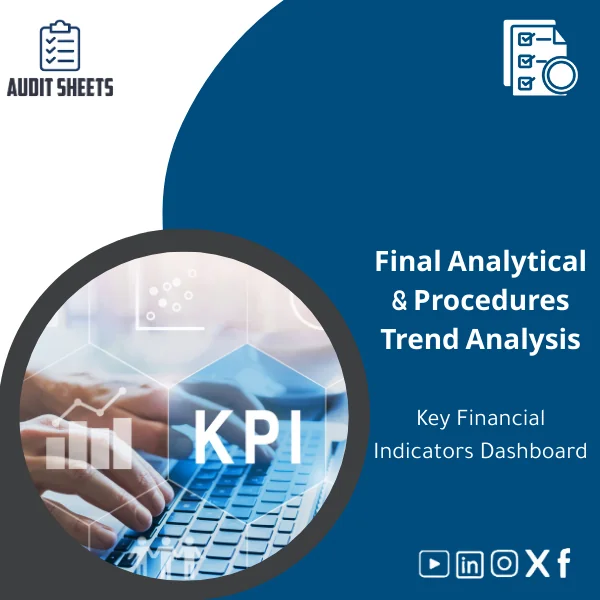
KPI Financial Analysis Template for Key Financial Indicators
Original price was: 159.00 $.119.00 $Current price is: 119.00 $.
A ready-to-use KPI financial analysis template with an integrated KPI dashboard—built for audit and accounting firms, legal auditors and accountants applying ISA & SOCPA. Turn raw financials into audit-ready metrics, risk-focused insights, and clear dashboard reports in minutes.
Key benefits & value for the buyer
The KPI financial analysis template converts routine financial data into audit-grade evidence and insights. It was designed to help firms:
- Speed up file preparation: Populate the dashboard from trial balance or general ledger extracts and generate instant ratio analysis and commentary.
- Improve audit quality: Standardized metrics and supporting calculations make it easier to demonstrate consistent application of ISA & SOCPA requirements during reviews.
- Support risk-focused decisions: Visual trend flags and variance drivers highlight areas needing substantive testing or extended inquiry.
- Facilitate reviewer sign-off: Clear worksheets and a documented trail of assumptions simplify internal and external quality reviews.
Use the template to produce sections of the audit working paper (analytical procedures, risk indicators, going-concern inputs) that are concise and defensible.
Use cases & real-life scenarios
Planning & risk assessment
During planning, load prior-year and current-year balances to generate ratio trends and benchmark comparisons. Use the automated flags to support fraud risk discussions and to prioritize substantive procedures.
Substantive analytical procedures
Prepare working papers that show expected vs actual movements, variance explanations, and sensitivity checks (e.g., margin compression, receivables aging increases). Export charts directly into your report appendices.
Quality control & peer review
The template’s transparent formulas and guidance notes make it easier for engagement partners and reviewers to validate conclusions without rebuilding calculations from scratch.
Who is this product for?
This KPI dashboard template is expressly for audit and accounting firms, statutory auditors, internal audit teams, and finance groups who:
- Apply international auditing standards (ISA) and local SOCPA requirements.
- Prepare or review comprehensive audit files with documented analytical procedures.
- Need repeatable, documented metrics for client engagements across industries.
How to choose the right license & variant
There are three recommended options depending on firm size and use:
- Single-user license: Best for sole practitioners and small firms evaluating core functionality.
- Firm license: For audit teams that will deploy the template across multiple engagements—includes editable policy guidance and a firm-branded cover sheet.
- Enterprise/customization: For large firms needing template integration, additional KPIs, or tailored workflows with professional setup support.
If unsure, start with a single-user purchase and upgrade to a firm license—templates are delivered with documentation that supports straightforward scaling.
Quick comparison with typical alternatives
- Manual spreadsheets: Time-consuming, inconsistent formulas, hard to standardize for reviews.
- Generic KPI tools: Often lack audit context (no working paper layouts or ISA/SOCPA notes).
- ERP or BI reports: Strong at operational reporting but rarely audit-ready or documented for working papers.
The KPI financial analysis template sits between raw ERP output and expensive BI solutions: audit-focused, easily customizable, and produced specifically to support professional working papers.
Best practices & tips to get maximum value
- Always import a reconciled trial balance as the data source; keep a copy of the import mapping for audit trails.
- Document assumptions in the “Notes” worksheet—reviewers expect clear rationales behind expected values.
- Use the dashboard flags as prompts, not final conclusions; combine with inquiry and corroborative evidence.
- Archive a PDF snapshot of the dashboard in the audit file for permanent evidence of your analytics at the reporting date.
- Customize ratio benchmarks to industry peers where available to improve relevance.
Common mistakes when buying or using similar templates—and how to avoid them
- Mistake: Buying a generic dashboard without audit documentation. Fix: Choose templates with worksheets mapped to audit objectives and guidance notes.
- Mistake: Not training staff on template logic. Fix: Run one pilot engagement and document mapping steps in your firm’s methodology guide.
- Mistake: Over-reliance on automatic flags. Fix: Add manual review checkpoints and link to supporting evidence.
Product specifications
- Format: Microsoft Excel (.xlsx) — compatible with Excel 2016, 2019, Office 365.
- Sheets included: Dashboard, Ratios & Calculations, Variance Analysis, Trend Charts, Data Import Mapping, Notes & Guidance.
- Key KPIs: Liquidity ratios, profitability margins, operating cash flow ratios, working capital turnover, receivables/payables days, EBITDA margin.
- Documentation: Step-by-step user guide and audit mapping notes aligned with ISA & SOCPA.
- Delivery: Instant download after purchase; editable file with unlocked formulas where appropriate and protected key cells to avoid accidental changes.
- Support: Email support for installation and basic customization guidance; optional paid customization available.
- Licensing: Single-user, firm, and enterprise options available (select at checkout).
Frequently asked questions
Is the template compliant with ISA and SOCPA requirements?
The template is designed specifically with audit documentation and analytical procedure requirements in mind and includes worksheets and checklists that reference typical ISA & SOCPA audit objectives. It does not replace professional judgment but supports documentation and review processes.
What version of Excel do I need and can I use Google Sheets?
Recommended: Excel 2016 or later (Office 365 preferred). Some features (advanced charts, VBA macros if included) may not function fully in Google Sheets—use Excel for full compatibility.
Can we customize KPIs for sector-specific benchmarks?
Yes. The template is built to be editable. For firm-wide or large-scale customizations we offer paid services to add sector-specific KPIs, additional schedules, or integration with your data extracts.
What support and updates are provided after purchase?
Purchases include documentation and email support for installation and basic questions. Licensed users receive template updates and patch notes for any material improvements. Enterprise customers can contract for bespoke maintenance.
Ready to standardize your financial analytics and improve audit quality?
Streamline working papers, produce defensible analytical procedures, and save time on each engagement. Purchase the KPI financial analysis template and start generating audit-ready dashboards today.
auditSheets combines deep audit knowledge with practical tools—designed for auditors who need accuracy, clarity and compliance without rebuilding spreadsheets from scratch.
Related products

Audit Services Quotation Template for Estimating Fees

Audit Services RFP Template for Client Proposals

Client Background Check Template for Legal Reputation Verification
A ready-to-use client background check template designed to document legal reputation verification, KYC client background form fields, and client risk assessment details — built for audit and accounting firms applying ISA & SOCPA standards so you can make defensible engagement decisions and assemble compliant audit files faster.

Client Risk Assessment Template for Preliminary Evaluation
Conflict-of-Interest Analysis Template for Client Evaluation

Firm Independence Template for Conflict of Interest Checks
Ensure auditor independence and document absence of conflicts of interest quickly and consistently. This firm independence template consolidates conflict of interest checklist items, an auditor independence form and firm independence confirmation steps into one usable file, aligned with ISA and SOCPA expectations for pre‑engagement documentation.
Reviews
Clear filtersThere are no reviews yet.